


Go to the content
Bioparque Buinzoo

Reschedule your visit

Choose how you purchased your ticket to schedule your time.

Reschedule tickets purchased on Buinzoo.cl

Remember to change your date before the day you chose to visit us. Reschedule it in any of these ways:

Option 1Button in your email

At the bottom of the confirmation email, look for “Reschedule your tickets here”.

Where is the button?
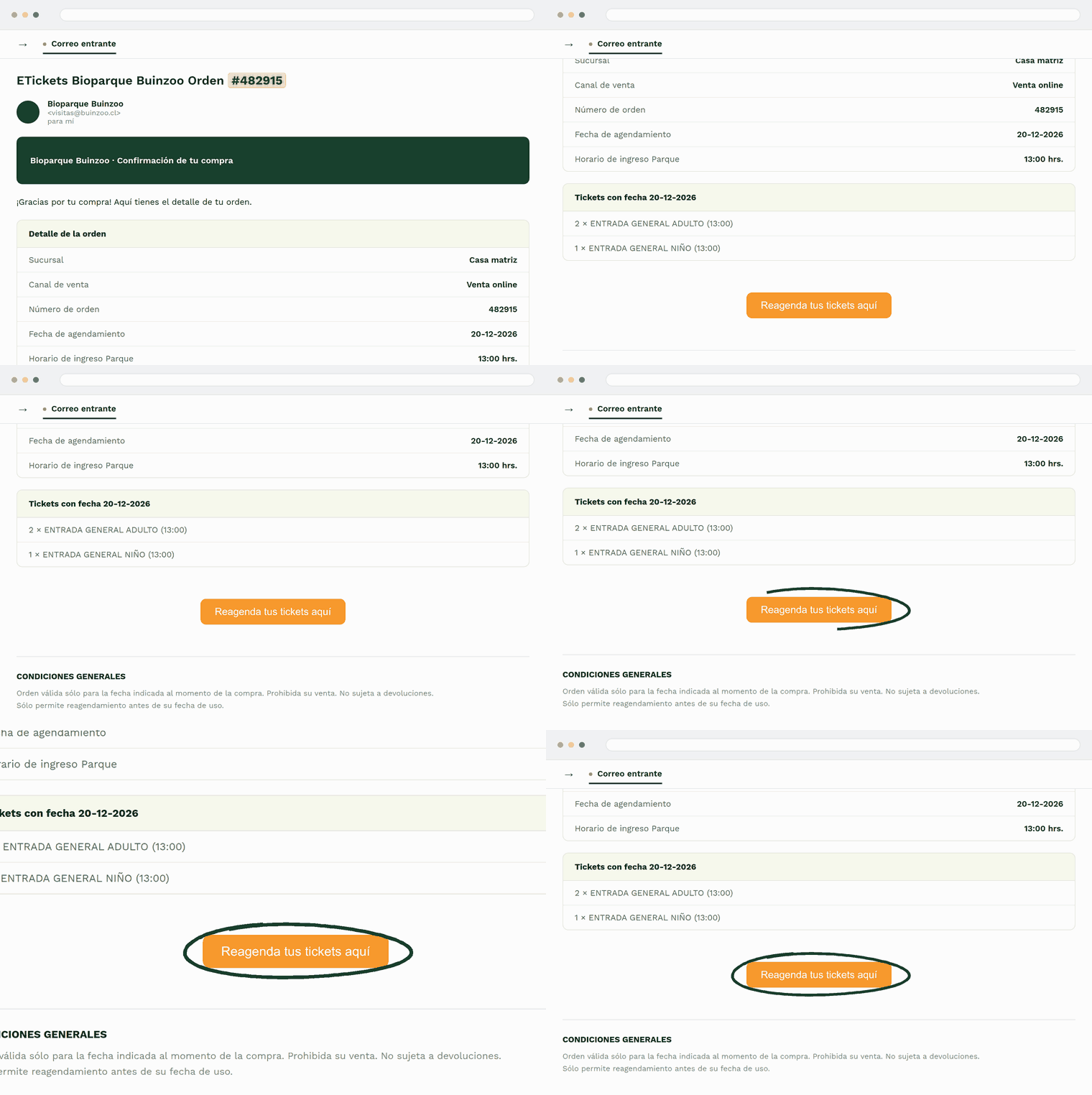
Walkthrough of a sample confirmation email: it scrolls to the bottom, past the order details and the tickets, and circles the orange “Reagenda tus tickets aquí” (Reschedule your tickets here) button, right before the “General conditions”

Scroll to the bottom of the email: it is an orange button, right before the “General conditions”.

Option 2With your order number

You'll need: The order number of your e-tickets.

Where do I find it?
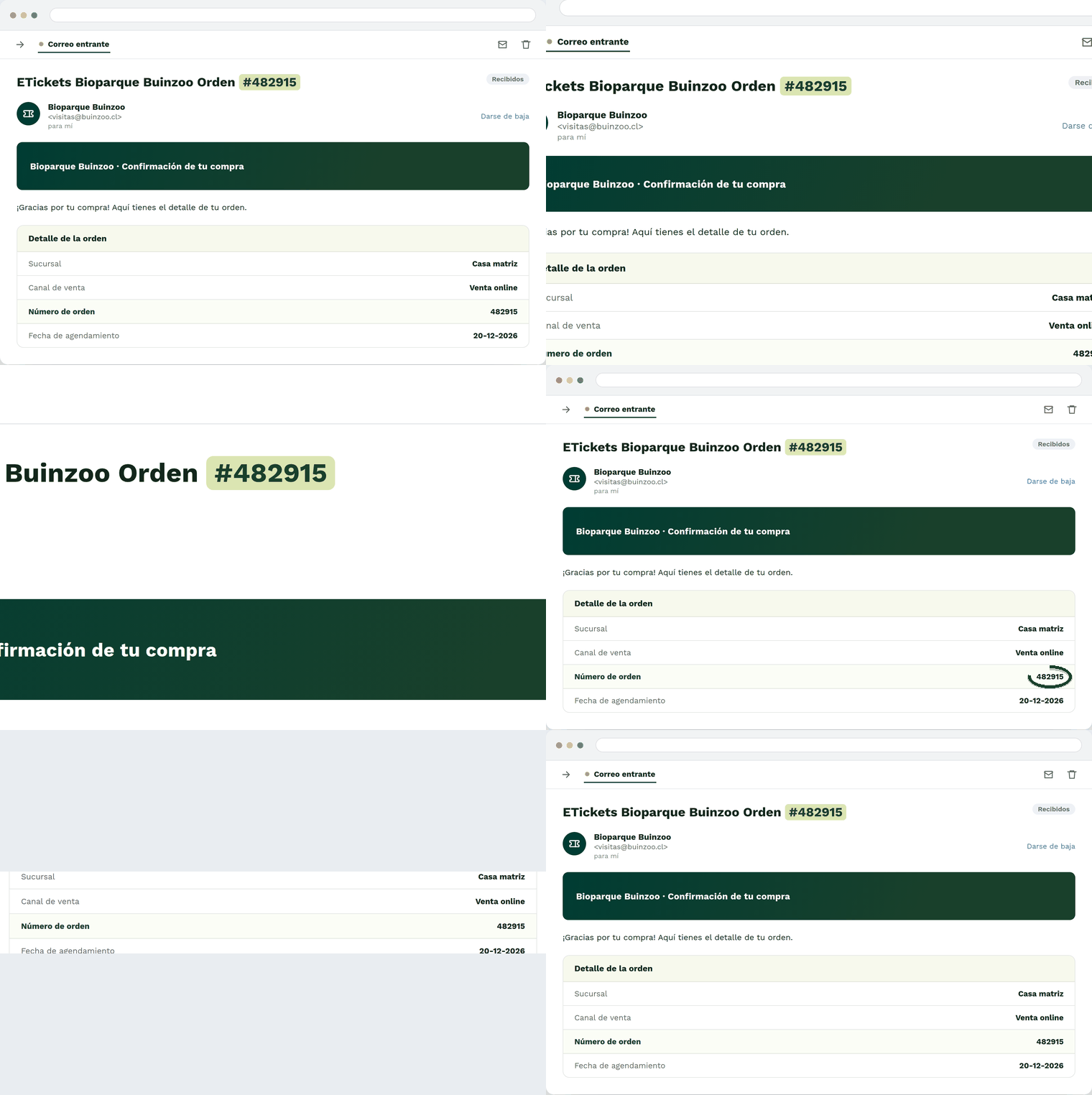
Tour of an example confirmation email: first look up the order number in the subject (“eTickets Bioparque Buinzoo Order #...”, sent Bioparque Buinzoo from visitas@buinzoo.cl) and then the “Order Number” row in the order detail, further down in the same email

In the subject of the confirmation email, or below, in the “Order Detail”.

Reschedule my purchase

Reschedule or schedule tickets purchased from other stores and institutions

If you purchased from a Marketplace, or received a ticket from your company, this is the place to reschedule your ticket.

You'll need: The 15-digit code you were given.

That's how it looks123456789012345

How does it work?

Enter the code, choose the day and the time slot, fill in your details and get the QR code for your ticket.

Schedule my time

See schedules and values

Buy tickets